Microsoft
Agreements in Word native
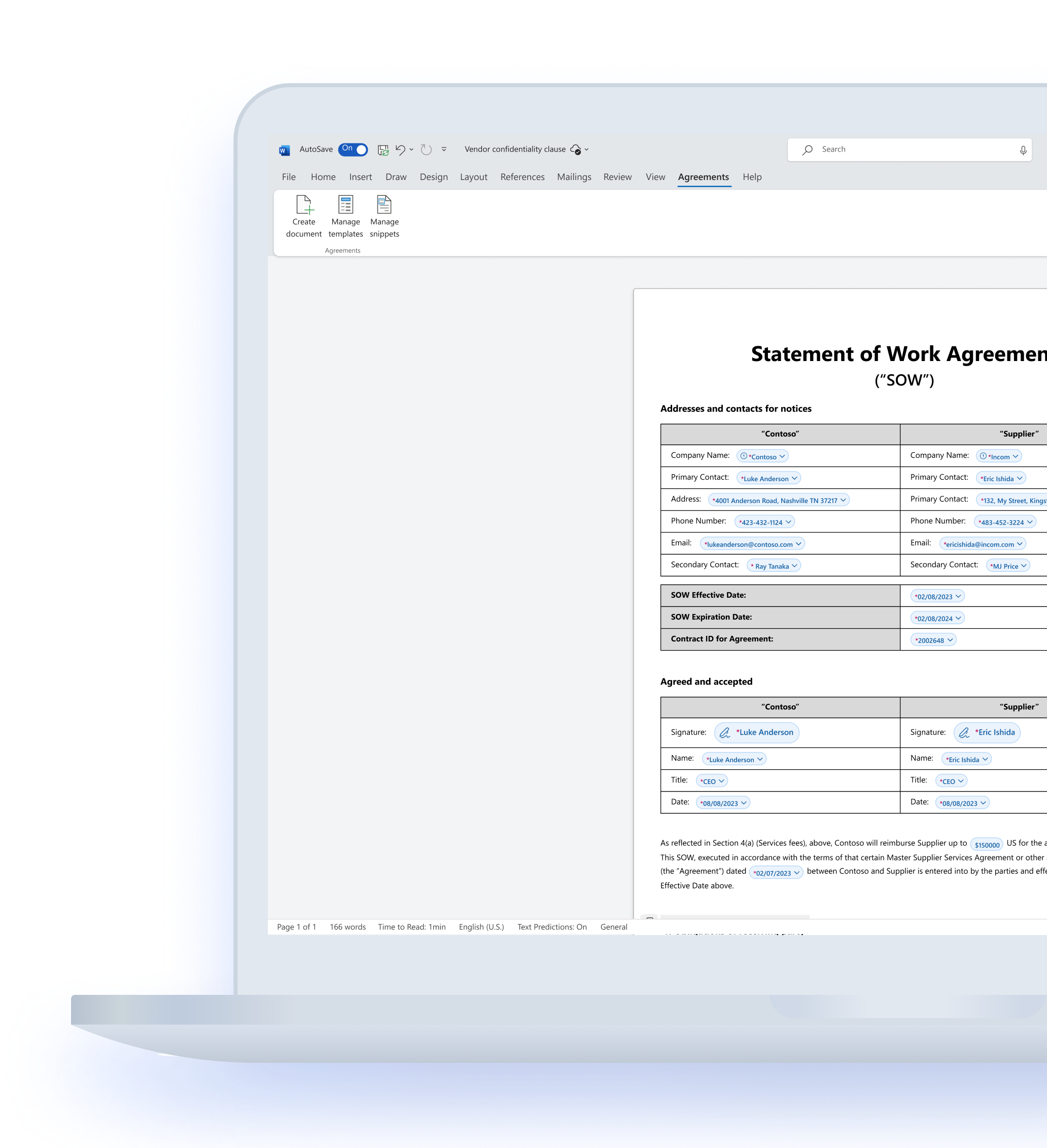
I worked on crafting content AI experience as part of 'Agreements' in Microsoft Word. My focus was on review and negotiation flows, which saw heavy AI investment and was one of the key offerings of the product. Currently in preview, the solution has been adopted by over 40+ large scale organisations since it's inception in December 2024.
BACKGROUND
Interaction design, product design
TEAM
3 designers, 3 PMs, 1 Content designer, 1 UX researcher, 15+ engg
TIMELINE
Jun '23 - Jan '25
Large organizations generate tens of thousands of contracts annually, like offer letters, NDAs, and Statement of Work agreements. While it seems straightforward, creating an agreement involves multiple phases and stakeholders. This process is supported by contract lifecycle management (CLM). Several compete players offer CLM solutions, but Microsoft historically has not been one of them.
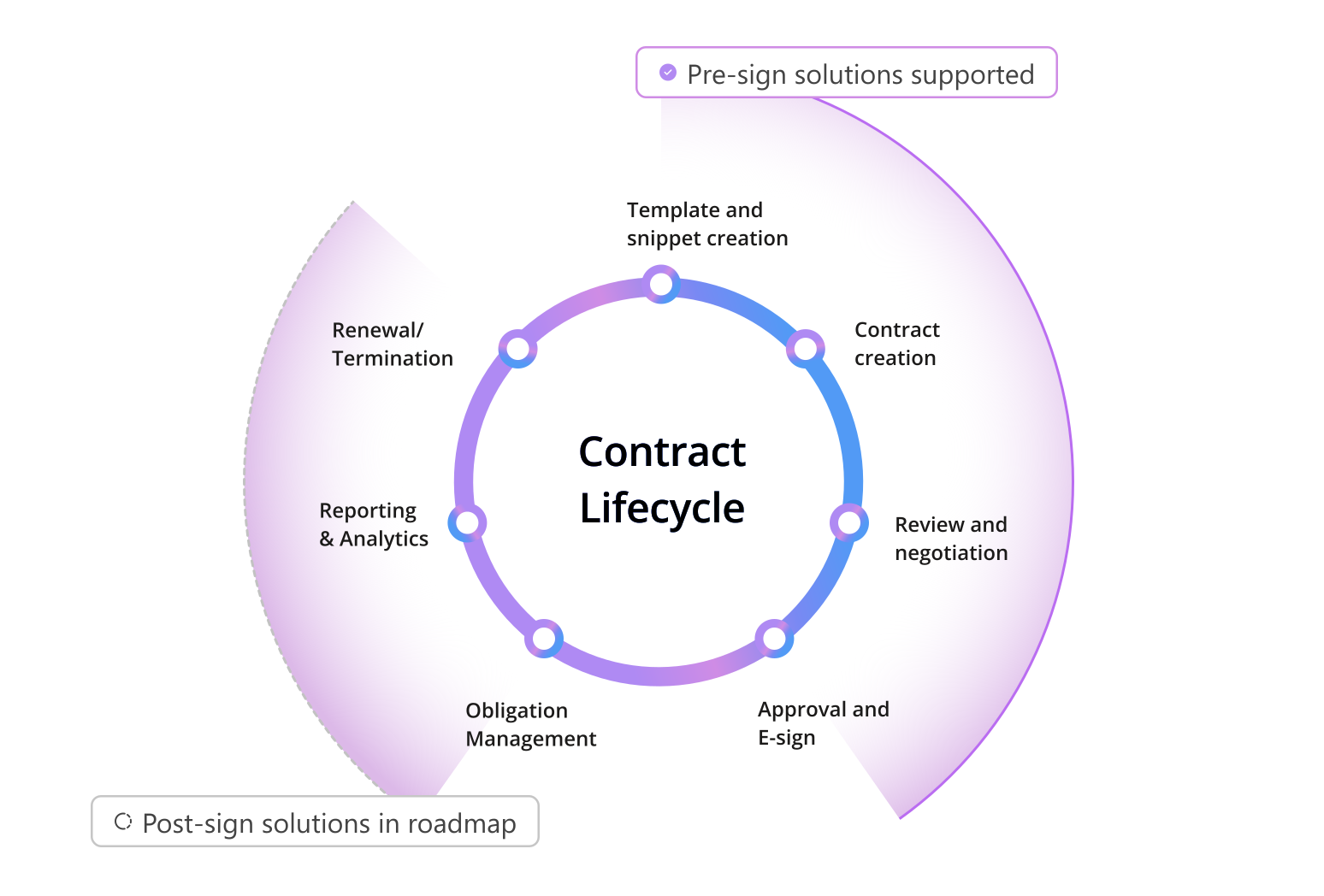
Most compete require users to switch to Word to edit their contracts or simply exist as Word plug-ins. Word never stopped being the mother of longform agreements. It only made sense for Microsoft to eventually tap into this. So we built an Agreements solution in Word. Native, integrated, with a seal of M365 security.
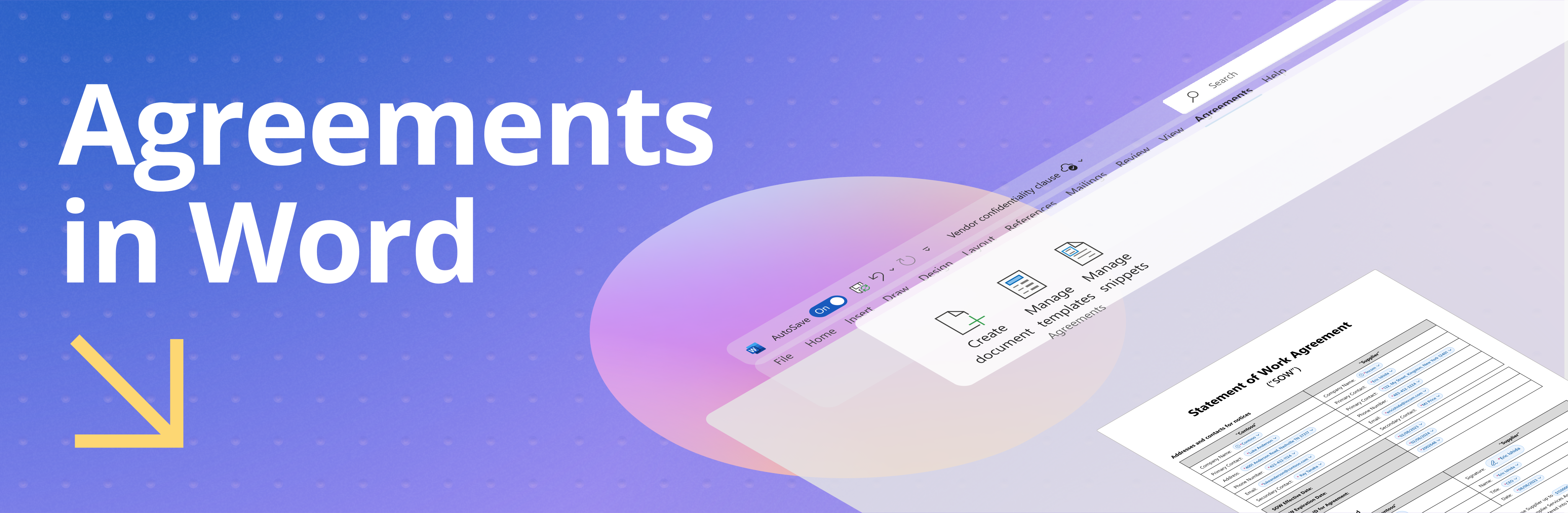
In December 2024, Agreements solution in Word was released for limited preview. This covered everything from template creation, document generation to esign. I created an in house demo video for the team on what the Agreements experience is like —
Process highlights
SharePoint designers, building a brand new Word experience
This lead to extensive cross geo collaboration with the Word team, fighting through some legacy roadblocks and establishing new design patterns.

Dogfooding before dogfooding
Microsoft’s own legal team CELA onboarded as customer 0 before we reached out to the rest of the world. This helped the product fail fast, improve faster and gain confidence.

Building a 0 to 1 product, working like a startup
We had to work with tight deadlines, so we built on informed hypotheses, previewed to users, got feedback and enhanced incrementally.
An extensive enquiry on what compete is upto
I initiated a comprehensive compete analysis that gave us a lot of insights on common industry practise and missing features.
Understanding review and negotiation
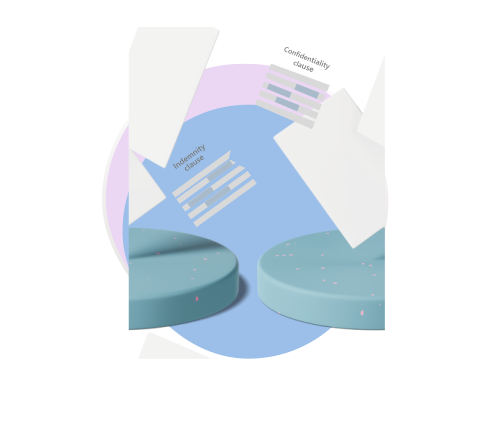
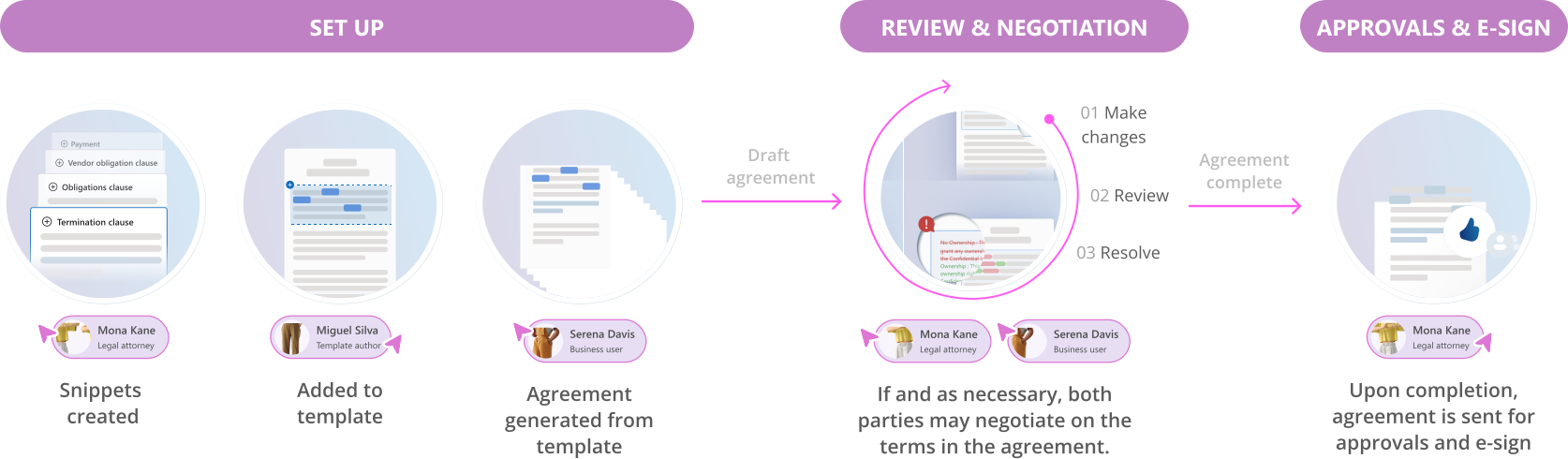
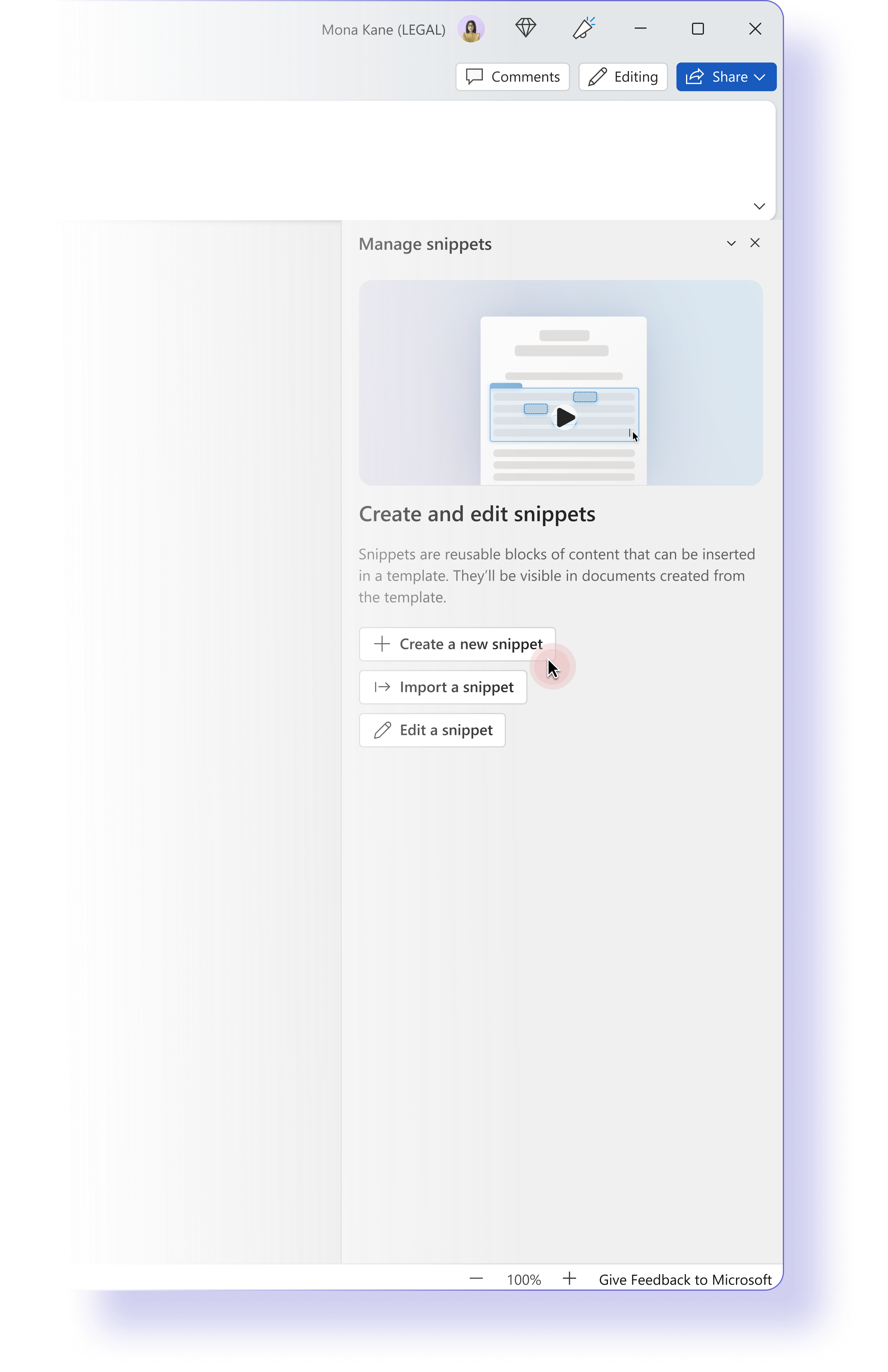
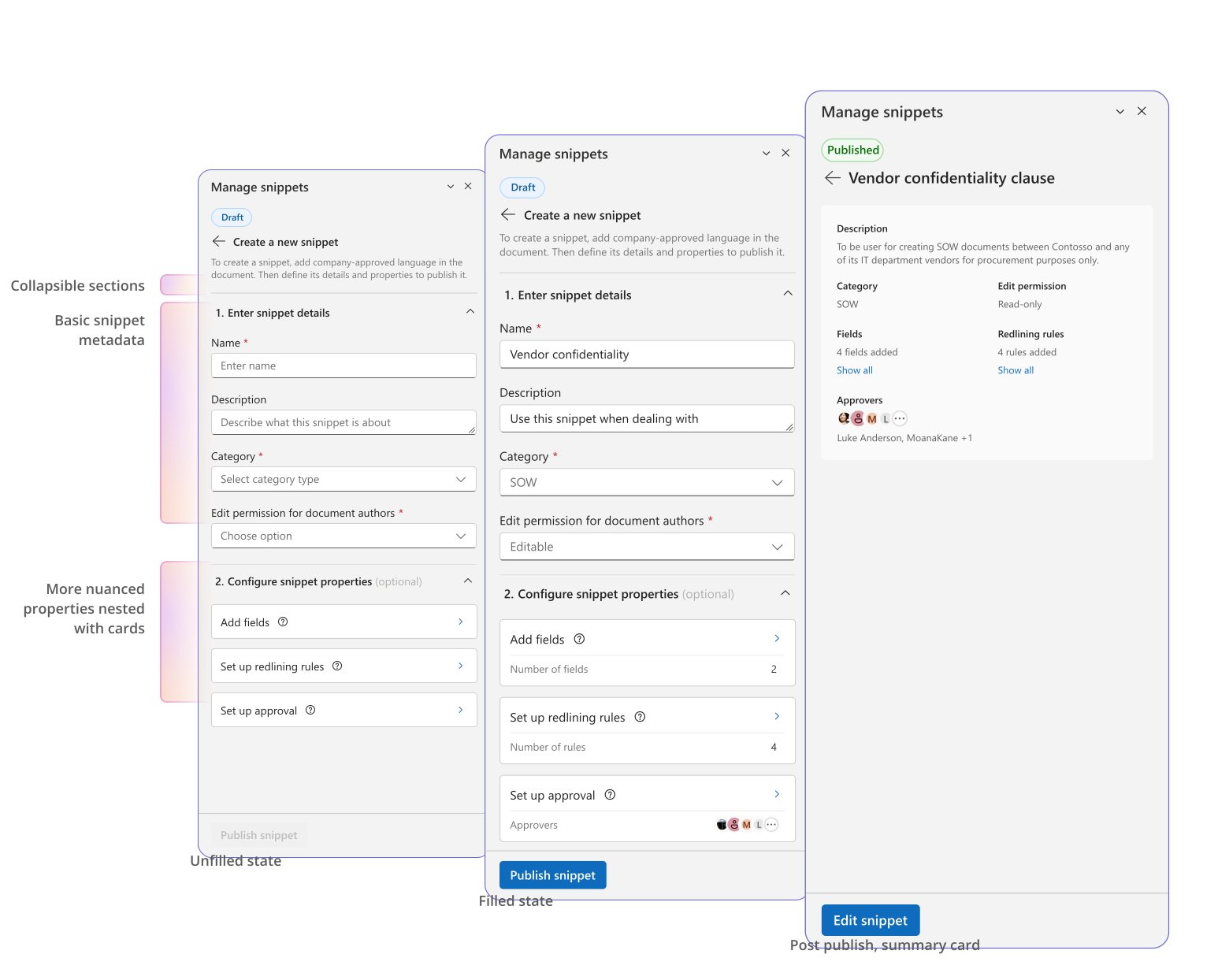
In the team, I was tasked primarily with working on review and negotiation flows. The central artefact on which most of the review and negotiation takes place is, the snippet — a reusable block of content containing company approved language like clauses.
Majority contracts get signed after being generated. For those that do not, this is what the process looks like —
User painpoints



User feedback
Heavy set up, cold
start problem
Fear of rogue & repetitive snippets
Creating reusable components like snippets offered users standardisation but it would also take great initial investment to set it up, leading to a cold start problem
"It's going to take a lot of initial investment, in terms of people's time and energy to set that up"
Users in general worried about rogue text passing off as untracked snippets or having too many almost similar versions.
"..Get more repetitive and similar language each time and that kind of stuff..."
Provide out of the box snippets for standard contracts, to reduce the cold start problem
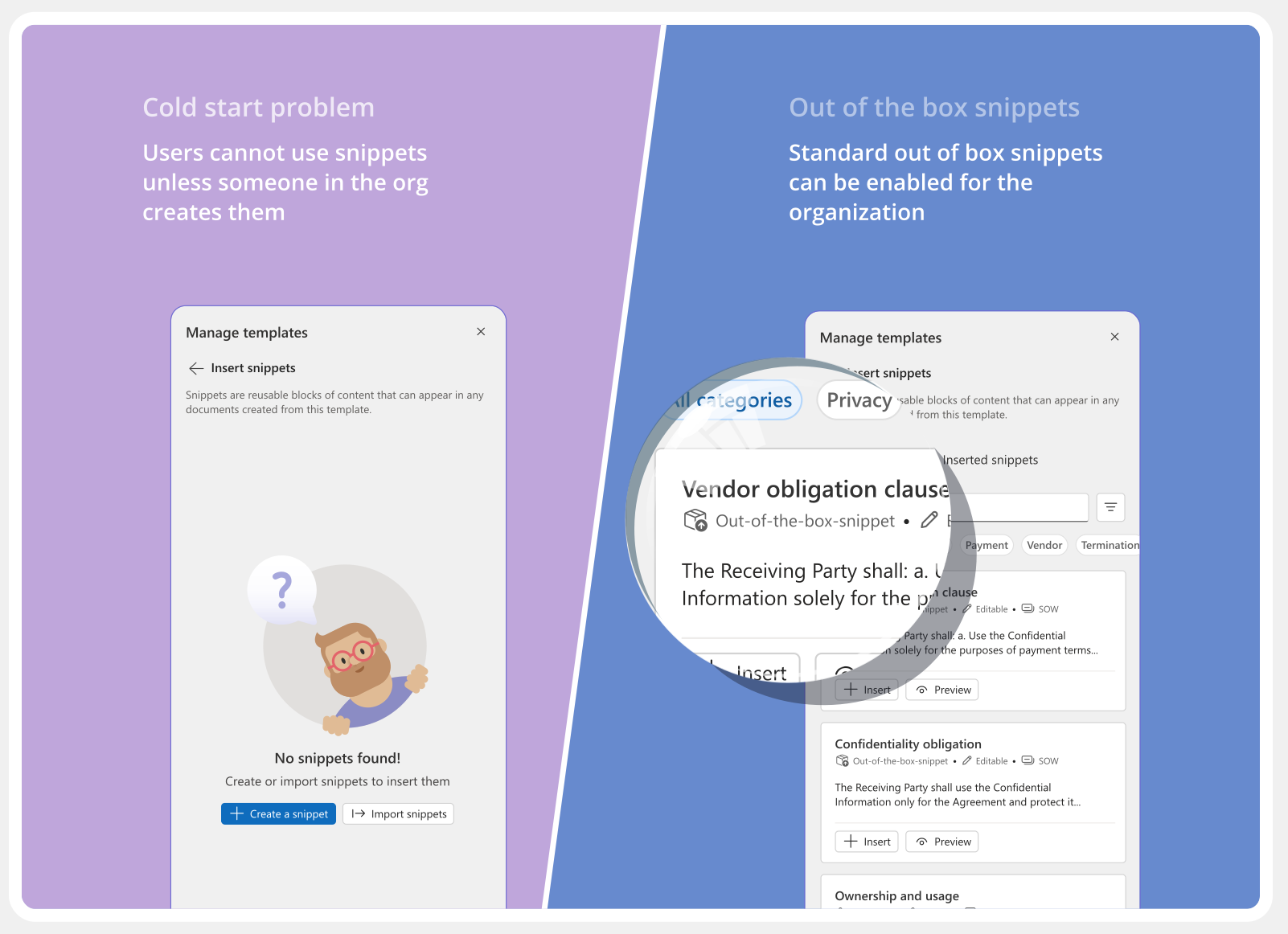

Making snippet creation easier — create from anywhere using in-canvas actions
No more rogue snippets — Use AI to match document text to exisitng snippets in the library


Instead of spending hours finding revisions and making sense of it
Users can let AI do it for them
Upon deep diving into individual snippets revisions...
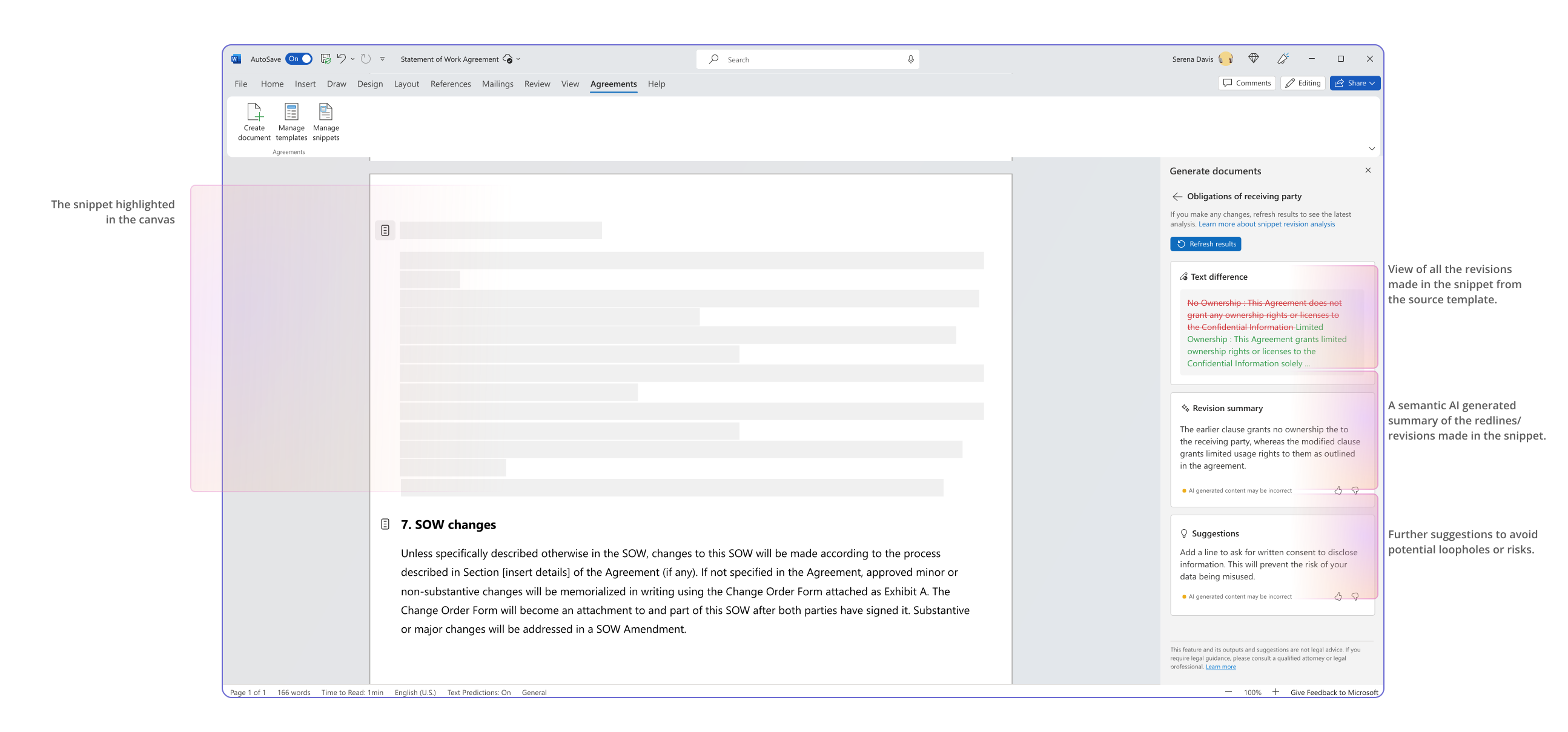
The right panel was not the only canvas of choice, document canvas had great potential too
It was, however, marred with heavy implementation time since it required fiddling with legacy Word code.

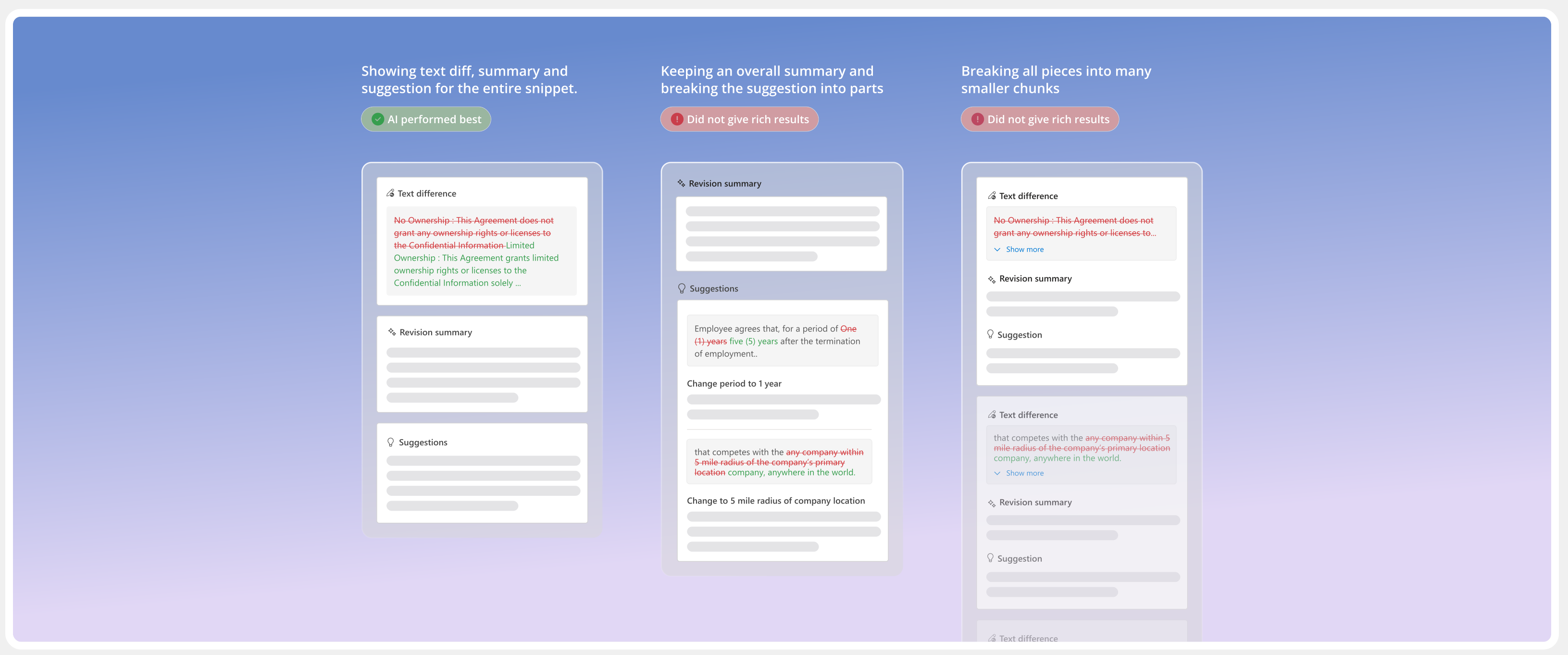
LLM gave different outcomes based on the query structure
... and this impacted the UI structure. Both influenced each other and we eventually went with what performed best!

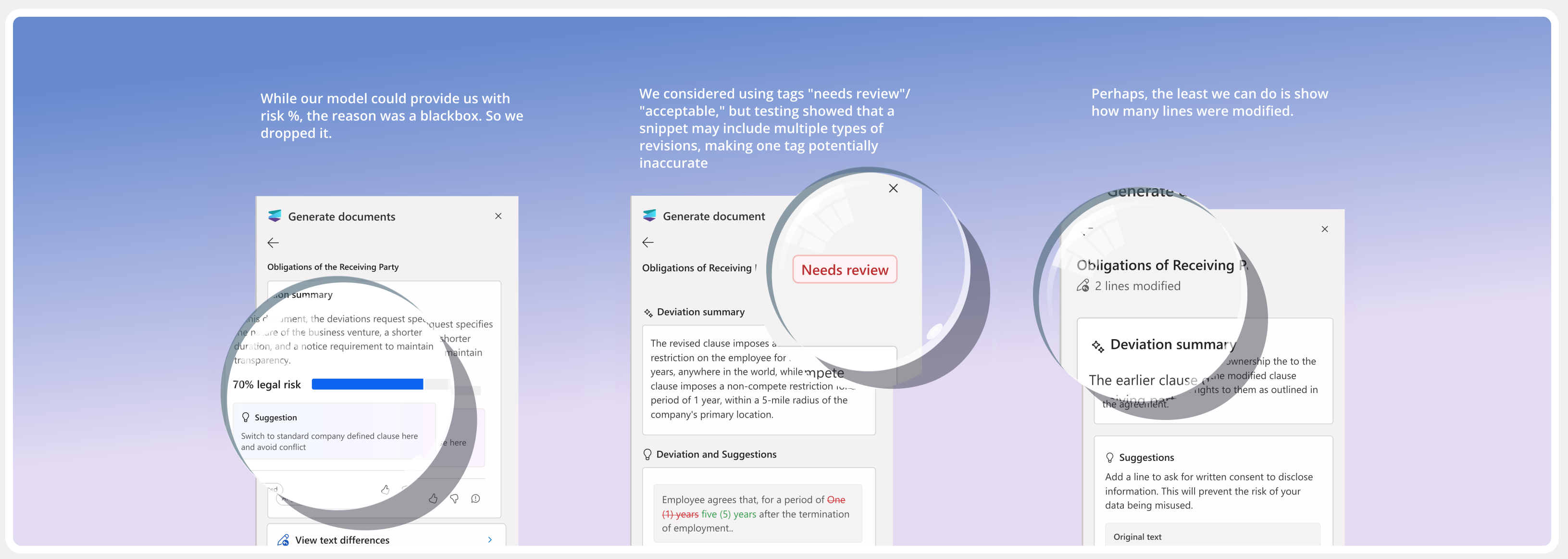
We needed a way to prioritize and interpret the long revision summaries at a glance

User feedback
They loved it! - It told them right where to go and saved time.
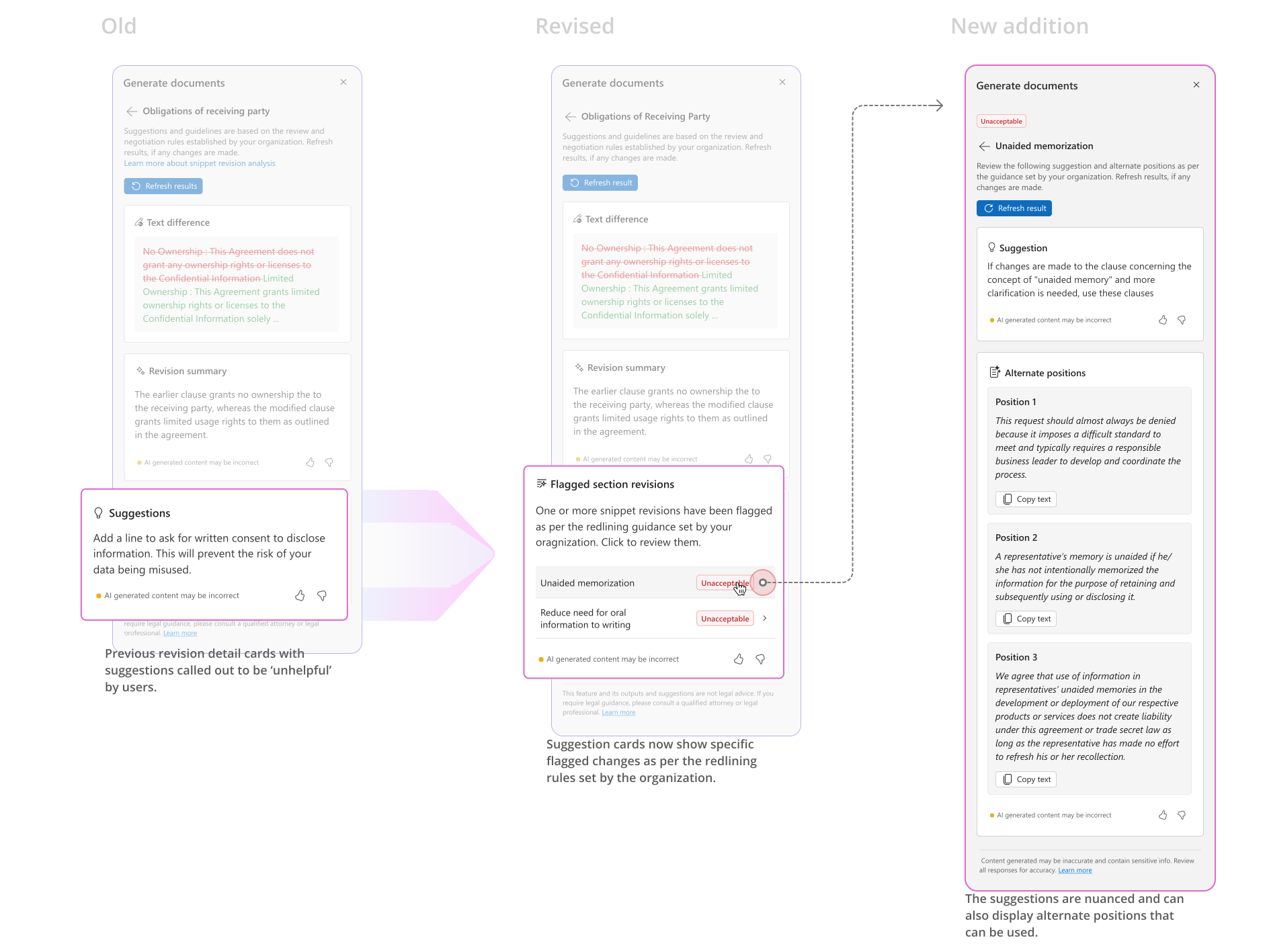
Not entirely though - AI suggestion quality was poor.
"I love that it sort of cut right to the chase... it tells me right where to go!"
"...that's 5000 minutes you can save, one minute per touch. Now equate across work hours, you're saving significant time"
"..Loved the deviation analysis feature - 2-3 legal folks tried it out and they see a lot of potential in it. We have been hearing about the intuitiveness and value of the feature"
We tested sample legal clauses with CELA and got the following results — While AI summary quality maintained 10/10 times,
AI suggestion quality showing incorrect or incomplete guidance occured 7/10 times.
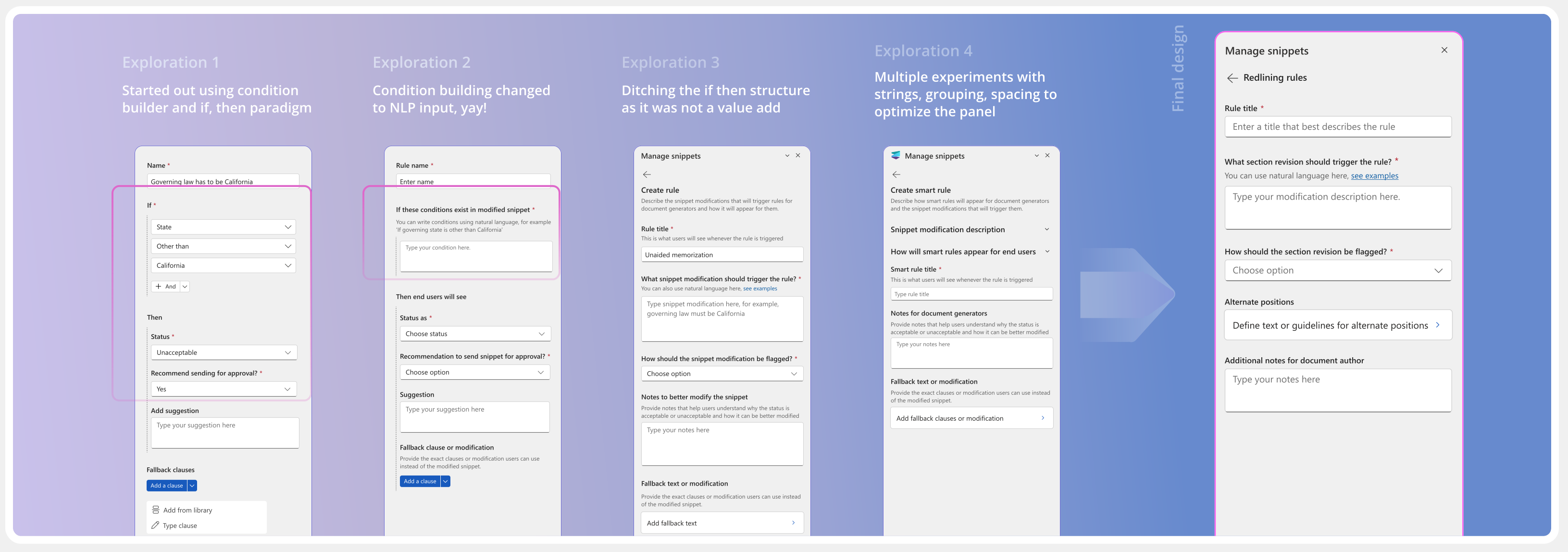
Users wanted to provide guidance rooted in their company's unique playbook. Hence, we decided to translate the playbook into redlining rules in the UI to help improve AI suggestions.
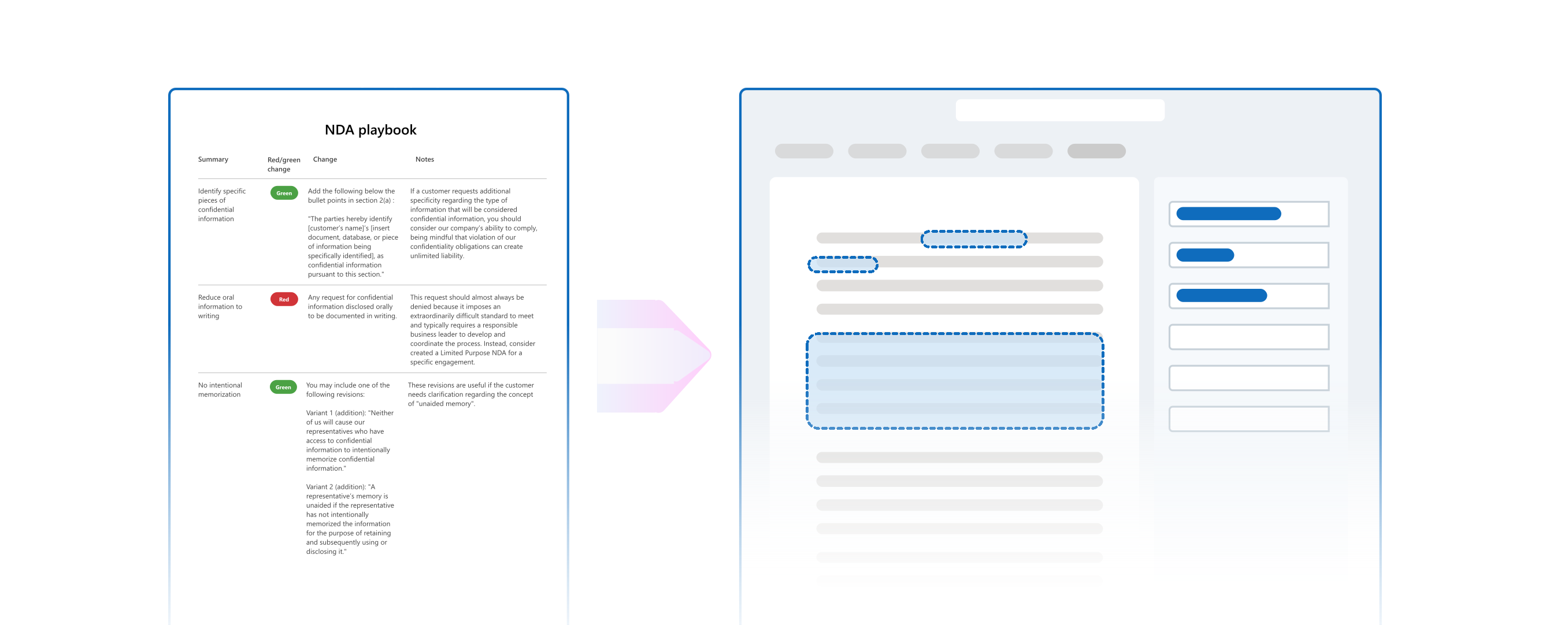

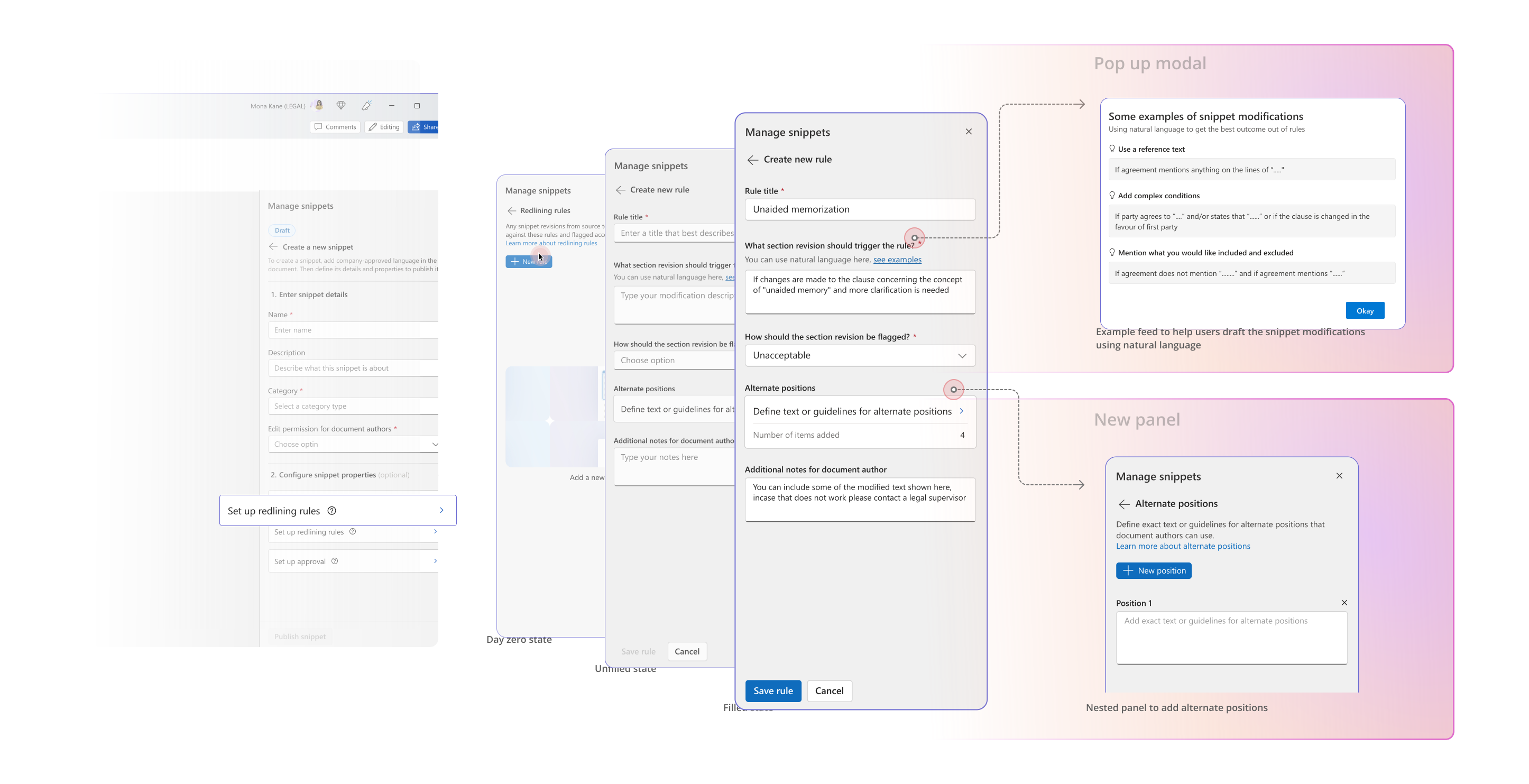

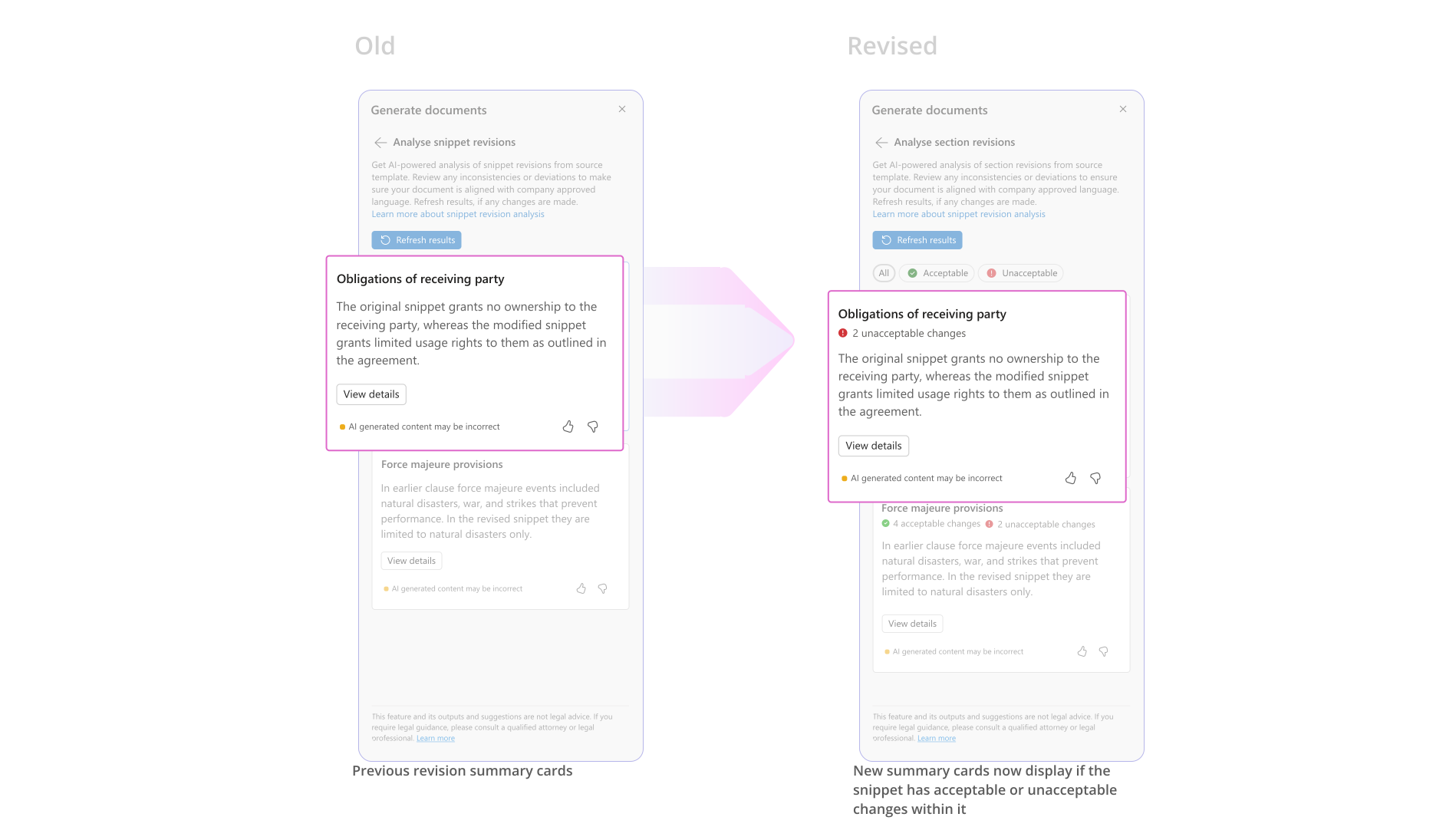
From condition builders to humble forms, the journey of translating playbook to rules.
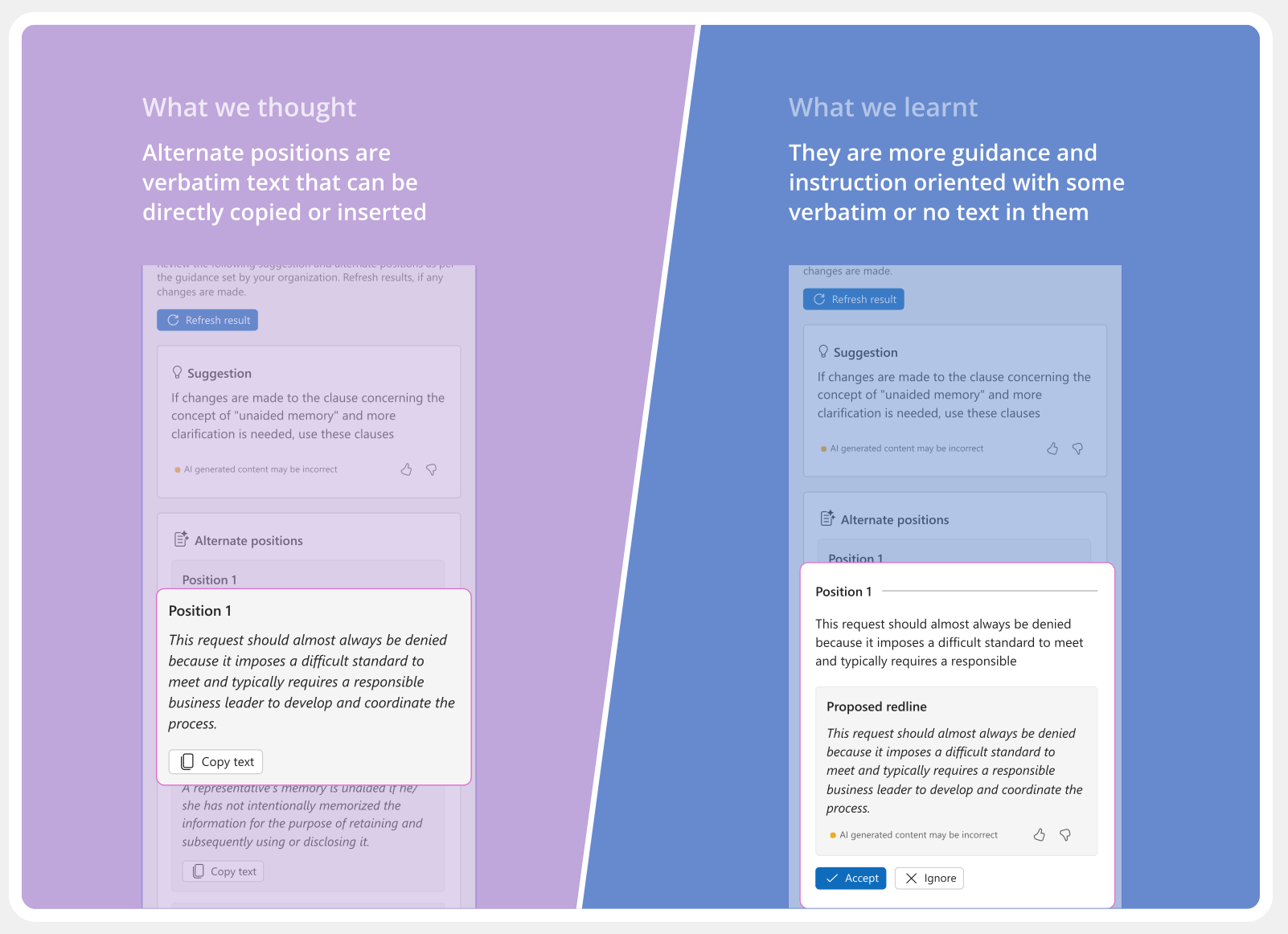
We learnt that drafting alternate positions is a nuanced practise. We accordingly worked to alleviate the experience.

Crafting the UI toolkit
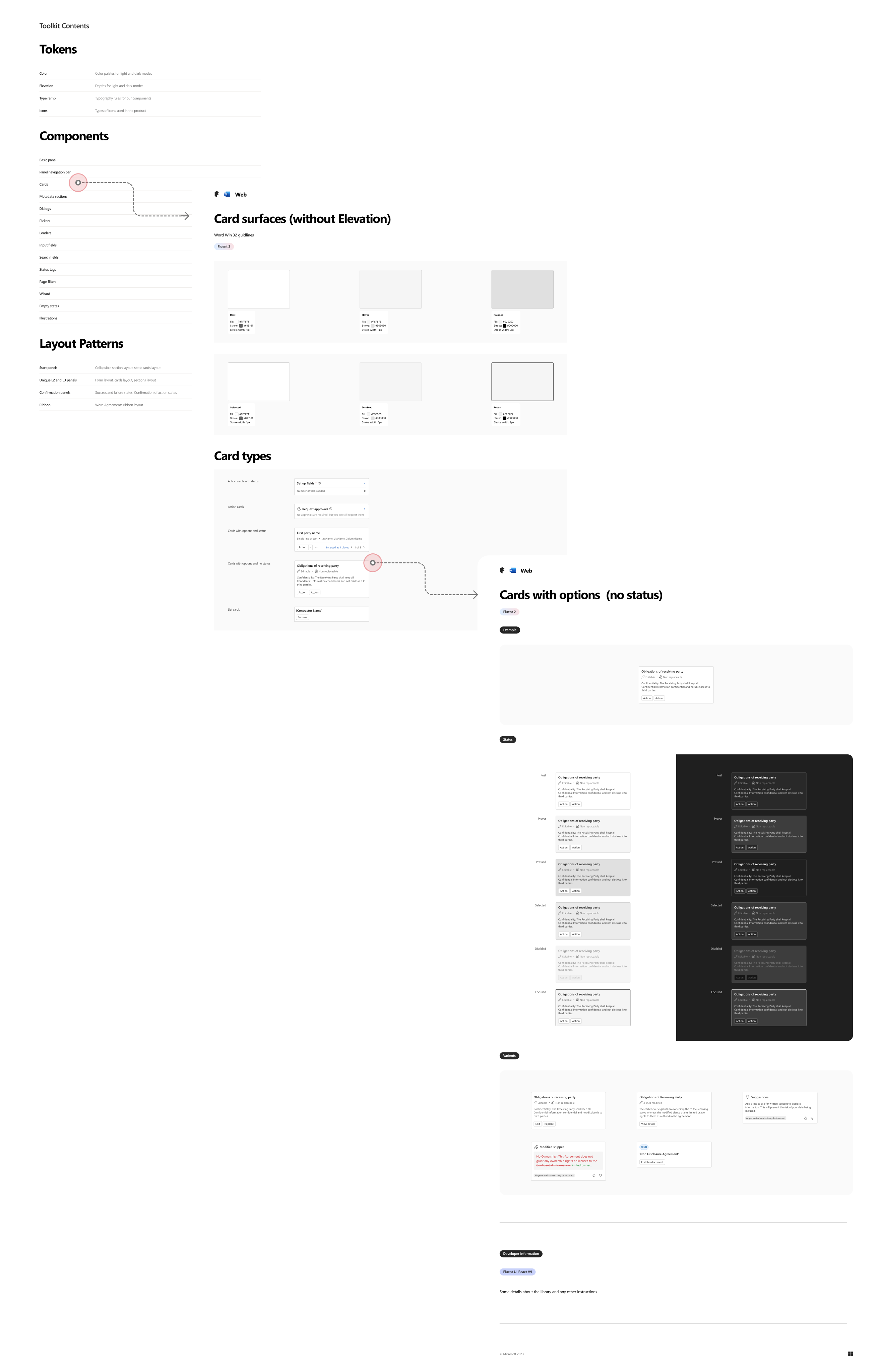
As Agreements started growing, we realised we had to create our own UI toolkit to suit our unique needs. It had to be dervied from both Fluent as well as Word design system, as only relying on one of them was proving to be limiting. To go about this, we audited all the flows, listed widely used components, then went on to define them in our toolkit. Along with this, we also defined some basic tokens and layouts patterns.
Product Impact
The product was finally released for preview by December 2024. Here is a snapshot of the product telemetry captured in April 2025, measured against the targets for end of FY25. It has been well adopted by a diverse range of large organizations like Coca Cola, Qantas Airlines and Sony Music.


Impact & Learnings
Driving feature enhancements
For the features that I owned, I pushed for several feature enhancements which are listed as VNext items here, such as in canvas actions, categorization tags, alleviated drafting experience etc.

Spearheading copilot/agentic experiences
There was no reason why Agreements should not leverage the goodness of AI. Design team especially spearheaded this effort, coming up with the earliest copilot and agentic explorations. Ping me to learn more.
Responsible AI- learning, practising, sharing
I worked on one of the first AI features of the product, which, gave me a good learning on desiging for AI. I further did deep homework on Responsible AI and conducted learning sessions on the same within my team. View learning session here.

Leveraging storytelling superpowers
Agreements had complex userflows with many stakeholders changing hands. I volunteered to drive storytelling on several ocassions which was very well recieved.
Selected works